-
Doubling Drums
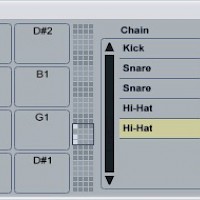
Using two copies of the same drum sample in a beat makes the drums sound bigger and fuller. Load up a kick, snare and hi-hat into Ableton’s Drum Rack, then open the Rack’s “Chains” section. Right-click the snare drum in the list of chains and select “Duplicate.” Do the same for the hi-hat.
Read More -
Return Track Tips & Tricks
Ableton’s Drum Rack instrument has its own integrated send/return section, which allows you to add return effects to individual drum samples.
Read More -
Tune Synths to A432 in Ableton
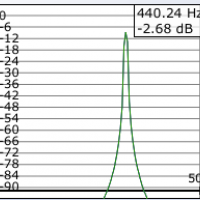
The idea that the note A3 should correspond to the frequency 440 Hz is a fairly recent one; although A440?s been in use since the 19th century, it’s only since the 1950s that it’s been accepted as the standard tuning.
Read More -
Reverse Snares
Load a snare sample into Drum Rack. Load another copy of the same sample onto an empty audio channel. Double-click the sample on the audio channel, then click the “Rev.” button. Ableton will reverse the sample. The reversed sample is an irregular length, which is going to make it hard to use in a MIDI loop. To fix this, click the “Warp” button to warp the clip, then drag the trim…
Read More -
The Best Drum Sample Packs for EDM (Part 1)
There are probably millions if not billions of drum samples that you can download and drop into your DAW’s drum machine. The depth and availability of these sounds is amazing, but it makes sorting through the billions of samples to find the best ones a bit tough. Here are, in our opinion, five of the best drum sample packs for producing house, drum ‘n’ bass, electrohouse, hip-hop, and trance.
Read More -
How to Create a Multi-Sample in Ableton Sampler
Ableton’s Sampler plug-in is a powerful audio manipulation tool that lets you transform raw audio samples into a playable instrument.
Read More -
Arranging Dance Music
A dance track usually has a looser structure than a hip-hop or pop song — but it does have a structure. Following a structure when you’re arranging your track makes it more DJ-friendly — and therefore more likely to get played out in a club.
Read More -
Audio Effects 101: Time-based FX
Time-altering audio effects like reverbs, delays and choruses all function in essentially the same way: they capture a portion of an input sound, delay it slightly, then play it back.
Read More -
Doubling Vocals
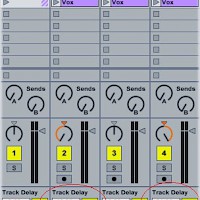
Doubling vocals makes them sound bigger and fuller in the mix. A vocal doubler plug-in creates two (or more) copies of the vocal, pans them to the left and right, then adds a slightly different delay...
Read More